How to confirm the model name
Cart

Is your order information correct?

※There have been many orders with incorrect model selections or forgotten model choices.
Since each item is made to order, we cannot accept changes or cancellations after the order is completed. Please be careful not to make any mistakes.

For customers shipping overseas:
※Depending on customs conditions, you may be required to pay customs duties.

U.S. customers:
*Import duties/taxes may apply on delivery. We recommend checking your local customs rules before ordering.

For an extended warranty or special offers, please click here

Thursday, August 13–Sunday, August 16 will be our summer holiday closure. (Shipping only will be available from August 13–15.)
We accept orders 24 hours a day during the closure, but inquiries will be answered sequentially starting Monday, August 17.
Please note that we cannot accept cancellations or changes after an order has been placed.   

Please agree to the Privacy Policy before proceeding to checkout.

*Customers who require a receipt can download it from their order confirmation email.

Your cart is currently empty.

How to confirm the model name

Lineup from old models to the latest models

Compatible with over 1,000 models

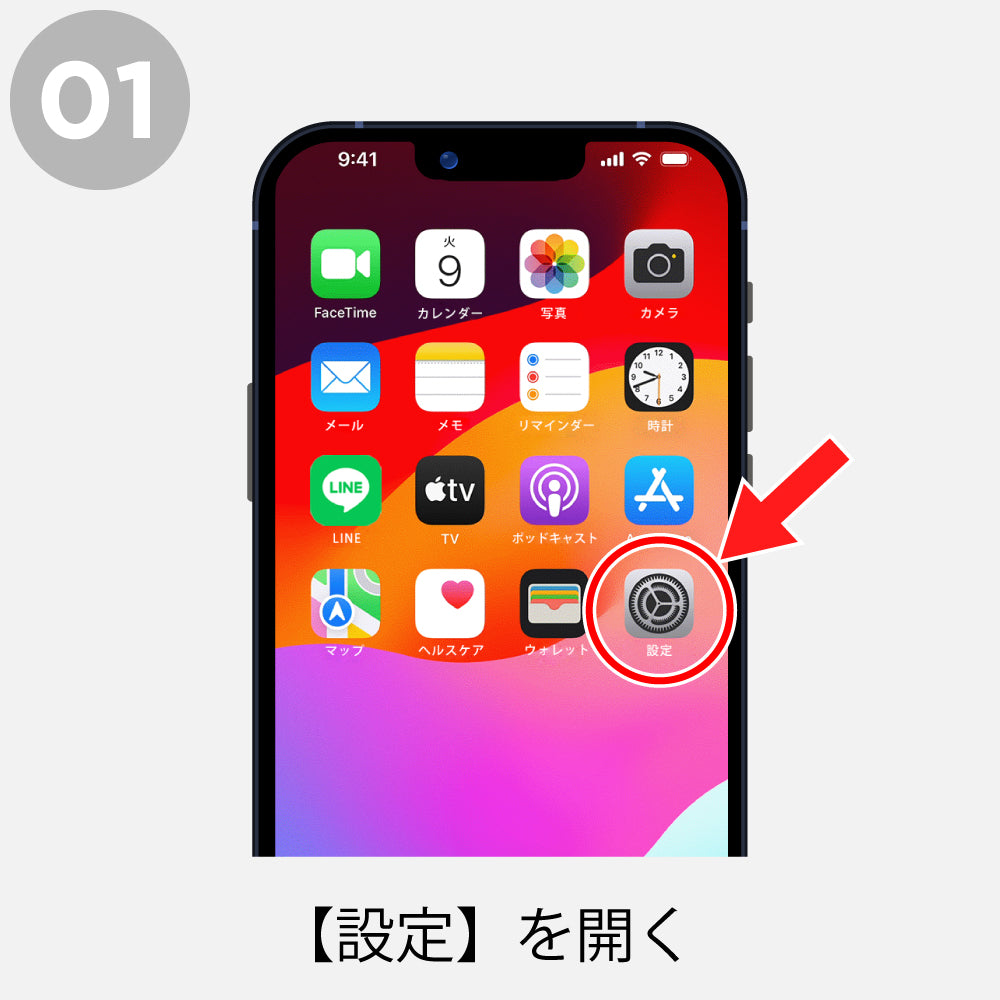
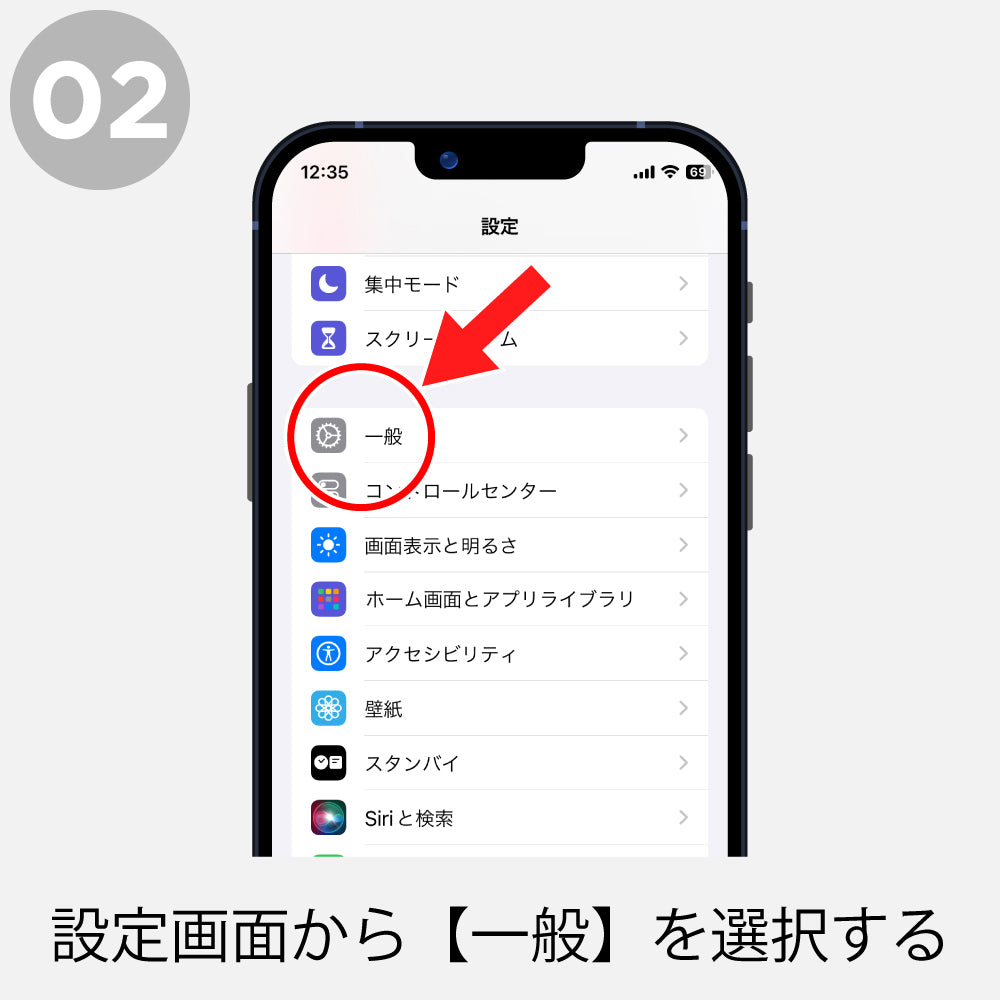
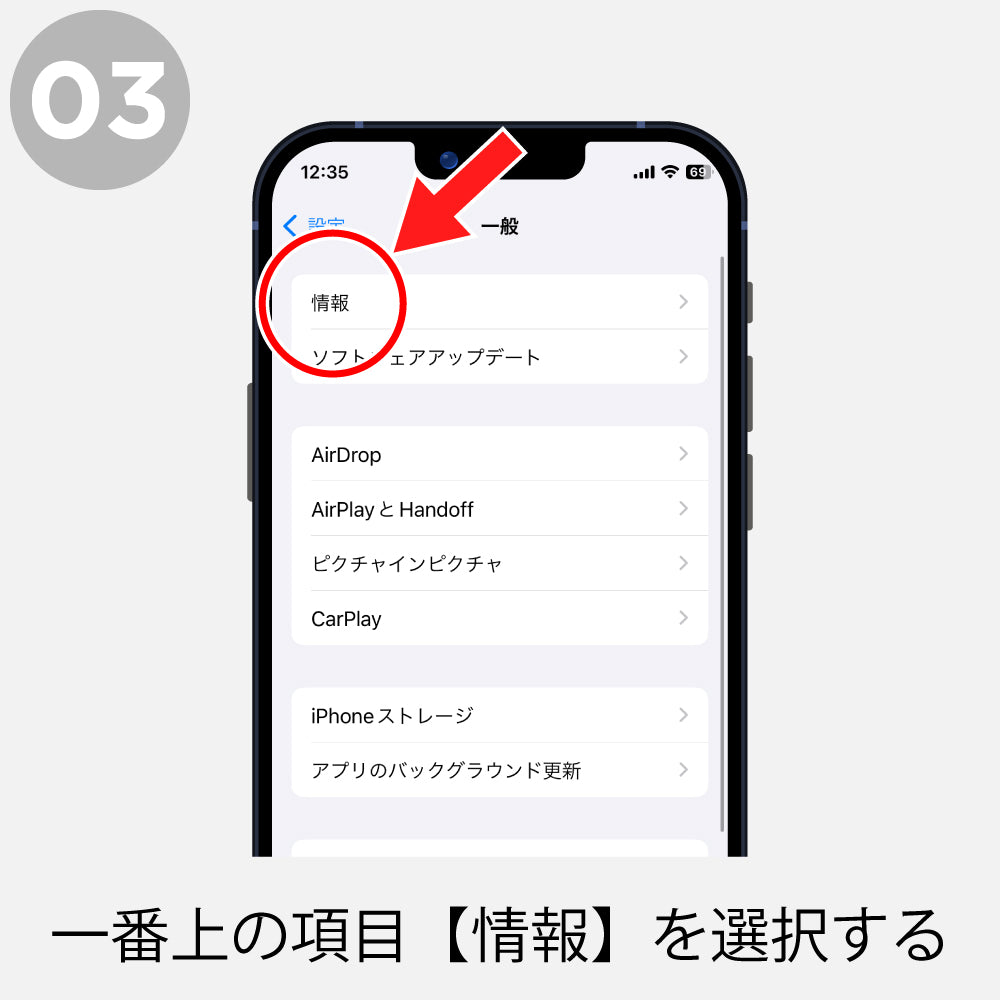
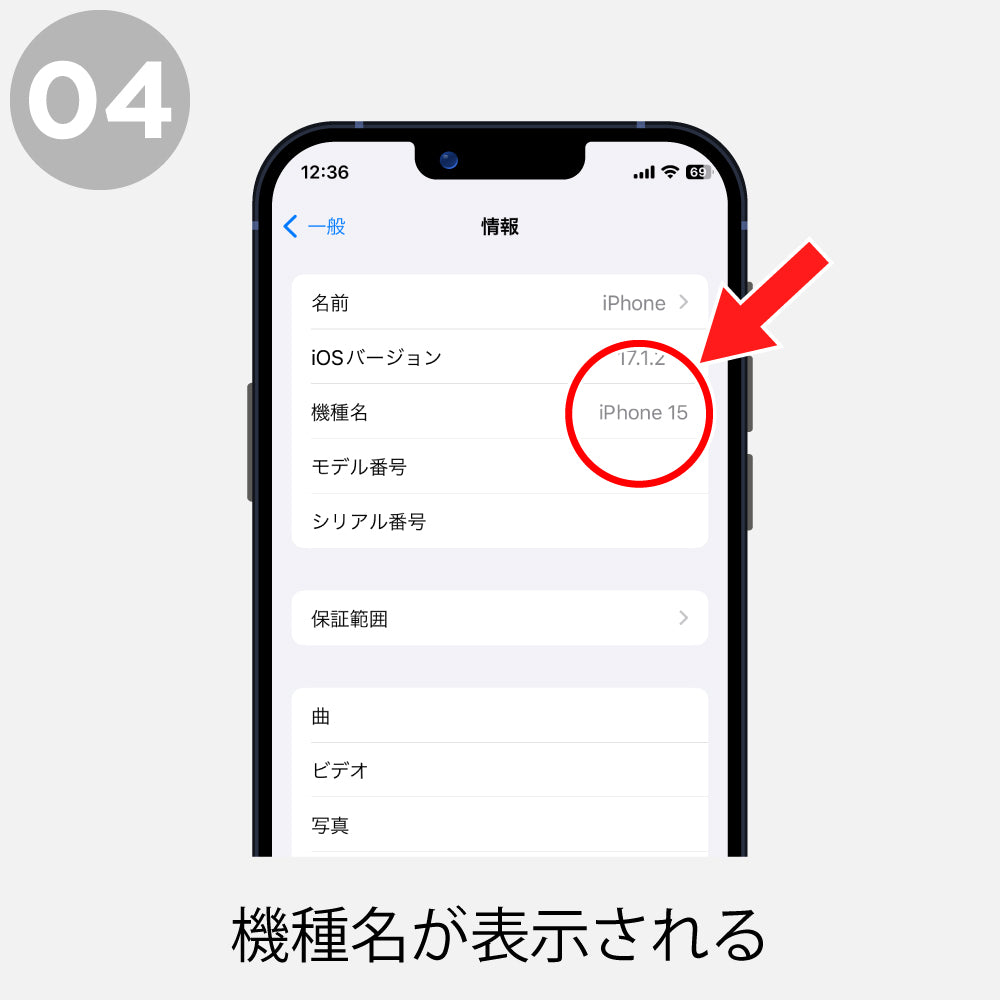
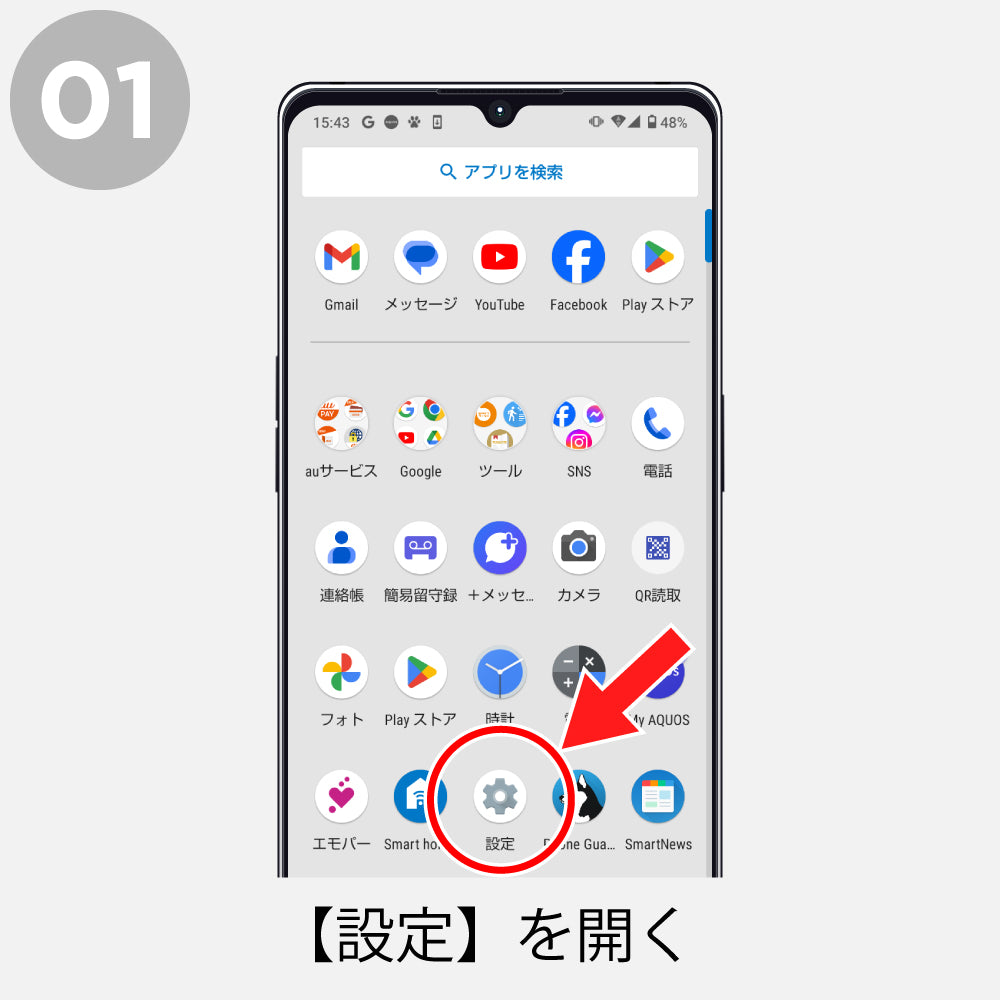
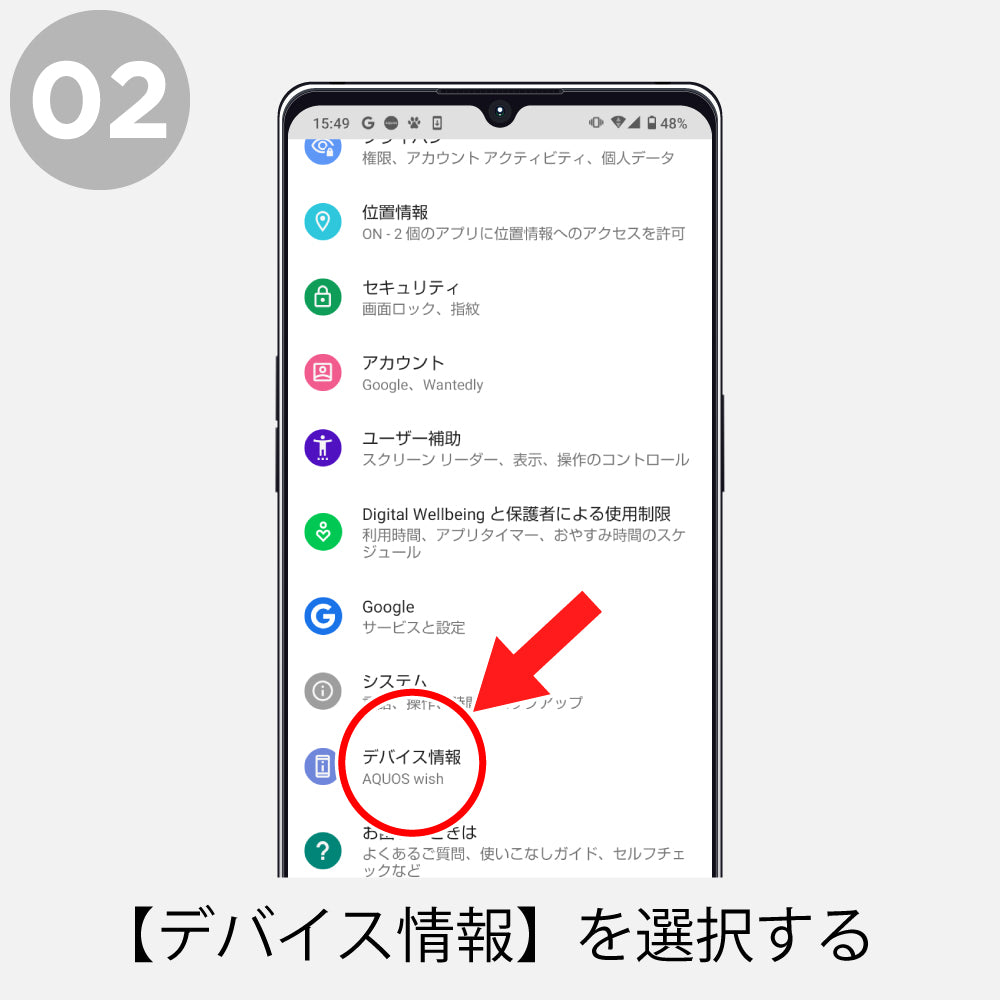
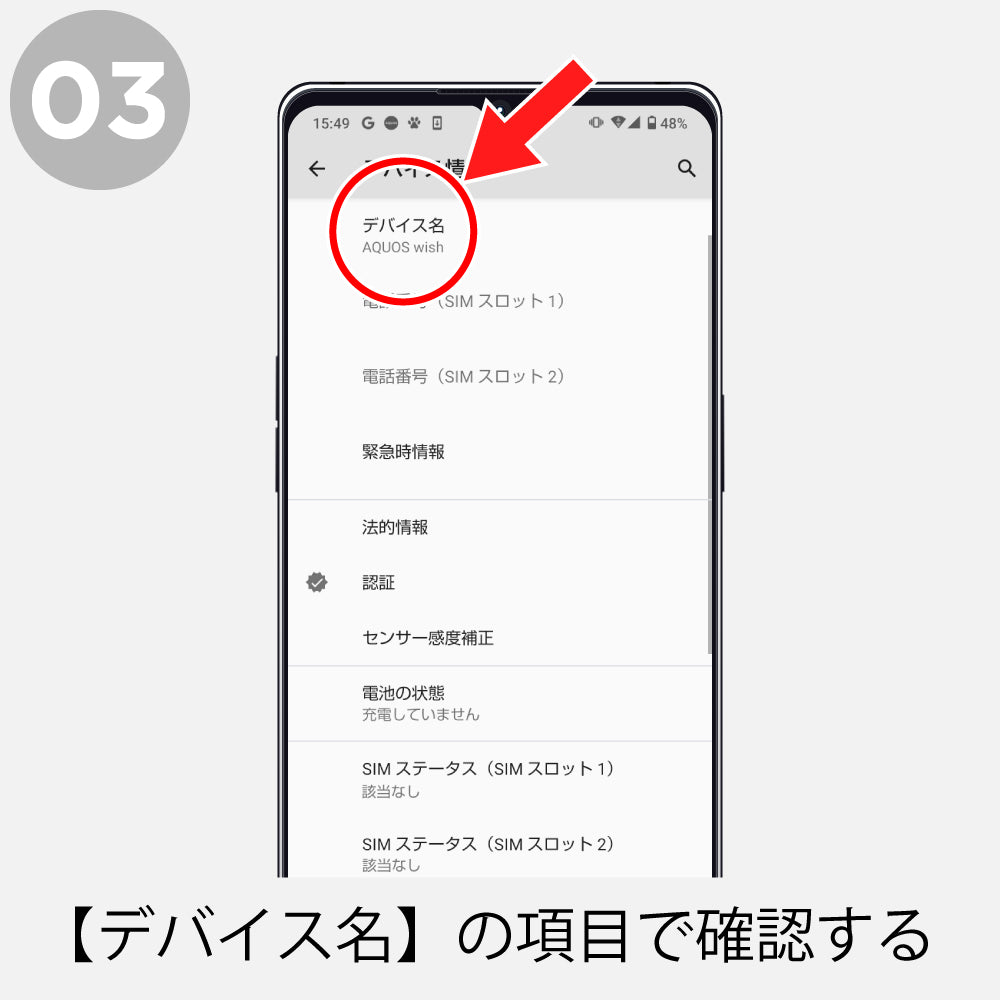
To confirm the model name of your smartphone, you can check from the [Settings screen] on both iPhone and Android. The display may vary depending on the version, but we introduce the general method to check the model. You can check the list of compatible models on our site here.


How to check iPhone

How to check iPhone 1
How to check iPhone 2
How to check iPhone 3
How to check iPhone 4

How to check Android

How to check Android 1
How to check Android 2
How to check Android 3

*If you are using an Android device and only the model number is listed, please search the model number in your browser to confirm the device name.

Back cases popular among those who prefer simplicity

Wallet cases with excellent storage capacity and protection

How to confirm the model name